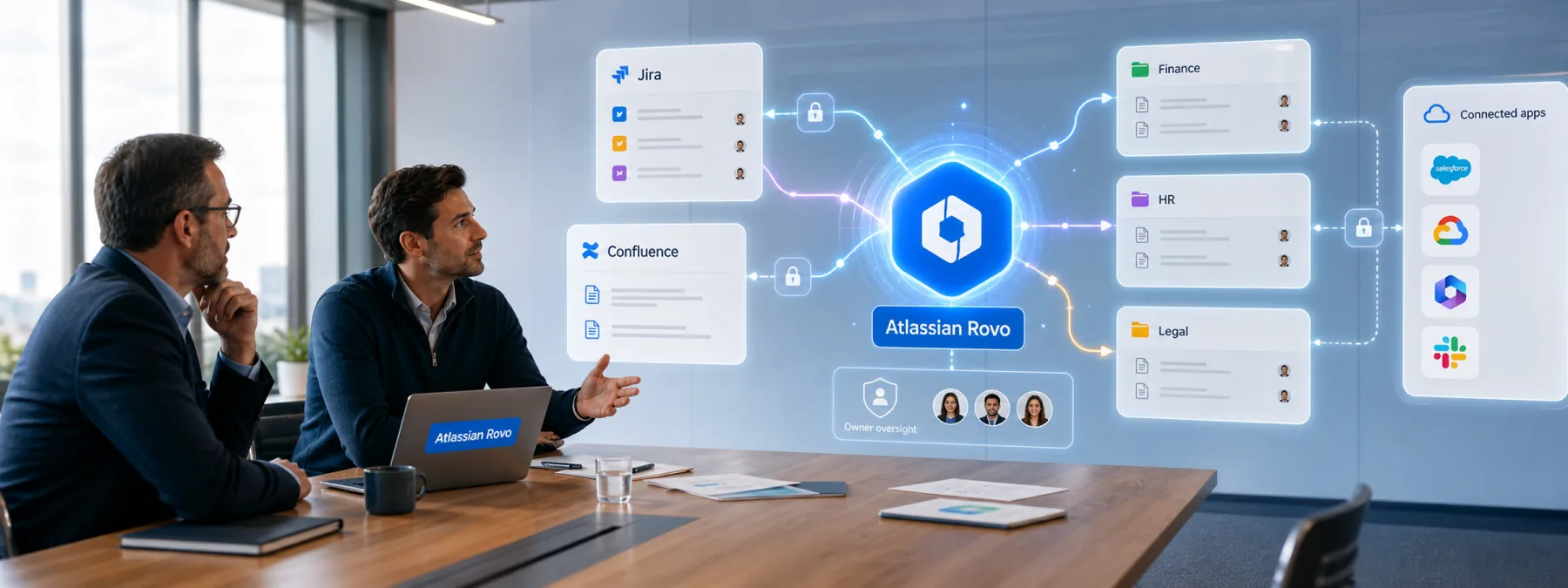
Atlassian's Rovo AI assistant is getting attention after same-day reporting on August 8, 2026 described research showing how attacker-controlled instructions could turn connected collaboration data into an exposure path. The public reports describe two routes: a Varonis RovoBlast link technique that Atlassian fixed server-side in July, and a separate PromptArmor content-borne prompt-injection path whose post-publication remediation status was not confirmed in the reporting.
The public record does not say these techniques are being used in real-world attacks. That matters. This is not a reason to panic, and it is not a reason to declare every AI assistant unsafe. It is a reason for owners to ask a practical question before AI features become normal business plumbing: what can the assistant read, where can it act, and who approved that reach?
The business issue is inherited access
Rovo is designed to work across Atlassian products such as Jira and Confluence, and it can also connect with other business systems. That is useful when the assistant is helping a team find project history, summarize work, or move a task forward. It also means AI assistant data access can quietly inherit the permissions, groups, documents, tickets, and connected apps that already exist inside the business.
For a New Jersey business, the sensitive material may not sit in one obvious vault. It may live in a Confluence page with HR notes, a Jira ticket about a customer issue, a finance document linked from a project, a vendor handoff note, or a connected Microsoft 365 or Google Workspace file. If an assistant can read across those areas, the owner needs a clear access review, not only a product demo.
What owners should ask
- Is Atlassian Rovo or a similar AI assistant enabled? Ask whether it is active for Jira, Confluence, Bitbucket, or connected SaaS tools, and whether it is enabled by default for broad user groups.
- Which data sources are connected? Confirm whether Microsoft 365, Google Workspace, Slack, databases, file shares, or other systems are in scope.
- Which spaces are sensitive enough to wall off? Legal, HR, finance, executive, incident response, customer, and vendor records may need narrower permissions before assistant features are expanded.
- Which agent features are actually needed? Browsing, multistep automation, and agent actions should be approved for a business purpose, not left on because they sound productive.
- What monitoring exists? Ask whether assistant activity logs, unusual agent runs, connector changes, and permission changes are reviewed.
A practical next step
The right response is an AI agent access review. Start with a short inventory: which AI assistants are enabled, who can use them, what they can read, what they can send or fetch, and which connected systems extend their reach. Then compare that list with the data the business would least want exposed through a mistaken click, poisoned document, or overbroad permission.
If your IT provider, MSP, software vendor, or internal administrator cannot show the permission map, pause the expansion of connected AI features until the map exists. AI can be useful, but useful tools still need boundaries. The assistant should not know more about the business than the owner realizes.
Sources and further reading
- Atlassian Rovo Can Be Tricked Into Sending Jira and Confluence Data to Attackers
- Critical One-Click Vulnerability in Atlassian's Rovo AI Exposed Enterprise Data
- RovoBlast: How One Click Triggered Atlassian's AI Assistant to Leak Data
- One-Click Data Exfiltration via rovoChatPrompt URL Parameter (Confluence / Rovo)
- Manage Rovo access


